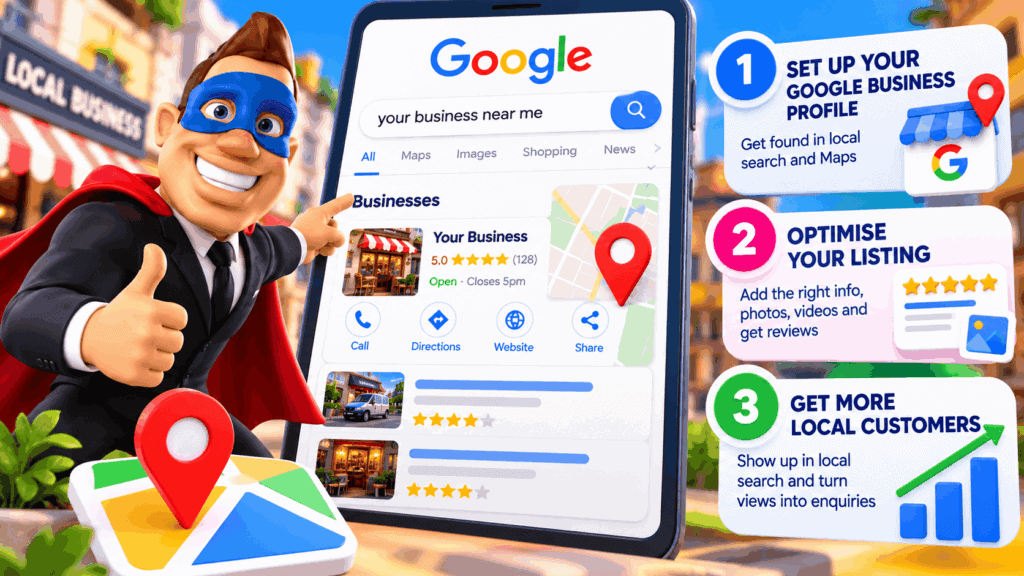
If you run a local business, one of the best free tools you can use is Google Business Profile.
Your Business Profile can help your business appear across Google Search and Maps when people nearby are looking for the products or services you offer. It does not guarantee a top position, but a complete, accurate and well-maintained profile gives Google better information about your business and gives potential customers more reasons to choose you.
How Google decides which local businesses to show
Google says local results are mainly based on three things: relevance, distance and prominence.
Relevance is how closely your business matches what someone is searching for.
Distance is how far your business is from the person searching, or from the location used in their search.
Prominence is how well known and trusted the business appears to be. Reviews, links, mentions and other information Google can find about the business can contribute to this.
You cannot pay Google for a better organic local ranking. The goal is to make your business information as useful, accurate and trustworthy as possible.
Step 1: Add or claim your Google Business Profile
If your business does not already have a profile, you can add one through Google Business Profile. If a listing already exists, claim it so you can manage the information.
Google Business Profile is free for eligible businesses and lets you control important details that can appear in Search and Maps.
Step 2: Verify your business
Google may require you to verify that you are authorised to represent the business.
Verification is important because it allows you to manage your profile properly and helps Google confirm that the business information is legitimate.
Step 3: Complete your business information
Fill out the profile carefully and keep it accurate.
Important information can include:
- business name
- primary business category
- address or service area
- phone number
- website
- opening hours
- services or products
- business description
Use your real-world business information. Your website and other important business listings should also use consistent, accurate details.
Step 4: Choose the right categories and describe what you actually do
Your primary category helps Google understand the type of business you operate.
Choose the category that most closely represents your main business activity, then add relevant additional categories where they genuinely apply.
Your business description should clearly explain what you offer, who you help and anything useful that makes the business different. Keep it natural and useful rather than stuffing it with search terms.
Step 5: Add good photos and videos
Photos help customers understand what your business is like before they contact or visit you.
Depending on the business, useful images might include your storefront, team, vehicles, products, completed work, food, treatment rooms or examples of your service.
Google recommends clear, well-lit images that accurately represent the business.
Step 6: Build genuine customer reviews
Reviews can help potential customers feel more confident about choosing your business. Google also says review count and positive ratings can contribute to local prominence.
Ask real customers for honest reviews after you have completed the work or served them.
Do not buy fake reviews or offer incentives that break Google’s policies.
Step 7: Respond to your reviews
Replying to reviews shows customers that you pay attention to their feedback.
Thank people for positive reviews and respond calmly and helpfully when someone raises a genuine concern.
Your replies are also public, so future customers can see how you communicate.
Step 8: Keep your profile accurate
Your profile should not be something you set up once and forget.
Update your opening hours, phone number, website, services and other important details whenever something changes.
Incorrect information creates a poor customer experience and can reduce trust.
Step 9: Make sure your website supports your local visibility
Your Google Business Profile and website work best together.
Your profile can help people discover your business. Your website gives them somewhere you control to learn more, understand your services, see proof and take the next step.
A strong local business website should clearly explain what you do, where you work, why someone should choose you and how to contact you.
That is the role of a Local Lead Website.
A simple way to think about local Google visibility
At Bizi Media, we use a simple framework:
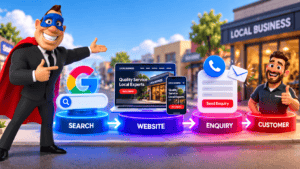
Get Found → Get Chosen → Get More Customers.
Your Google Business Profile helps with the Get Found stage.
Your reviews, photos, business information and website help with Get Chosen.
Your phone number, enquiry form, booking option and follow-up process help turn that attention into real enquiries and customers.
Can you guarantee first place on Google?
No.
Google’s local results depend on factors including relevance, distance and prominence, and those factors vary by search, location and competition.
No legitimate marketer can simply promise you the number-one local position.
What you can do is give Google accurate information, build a strong reputation, maintain your profile and create a useful website that supports the customer journey.
Start with this free local Google checklist
- Claim or create your Google Business Profile
- Complete verification
- Check your category, phone, website, address or service area and opening hours
- Add useful photos and videos
- Ask genuine customers for reviews
- Respond to reviews
- Keep the profile updated
- Make sure your website clearly supports the same services and locations
Those steps will not guarantee a ranking, but they give your business a much stronger foundation for being discovered by local customers.
If you also want your website to do a better job once those customers click through, read What Is a Local Lead Website?
By Michael Harwood
Bizi Media